

Synology DSM 7.2 does not show the WORM option for snapshots on my DS718+. The NAS has the required Btrfs feature, but DSM marks WORM as unsupported for this model. Changing one setting makes the option available, and I now use it to protect the daily snapshots of my backup share.
What is WORM?
WORM means Write Once, Read Many. A snapshot with a WORM lock cannot be deleted before the lock expires, including by a DSM administrator. This can help if someone gains administrator access and tries to remove the backups along with the original data.
It is an additional layer of protection, alongside another backup copy and regular restore tests.
Enable WORM on the DS718+
On my DS718+ (Apollolake, DSM 7.2.1-69057), DSM reports support_worm="no". Setting it to yes in both configuration files enables the WORM controls in Snapshot Replication:
support_worm="yes"The files are /etc.defaults/synoinfo.conf and /etc/synoinfo.conf. Keep a copy of each file before making a change. This setting is unsupported by Synology and may be reset by a DSM update. It may also differ on other models and DSM versions.
I use a script to set the value in both files and a boot service to reapply it after DSM has merged its configuration. The script also maintains the eSATA SSD cache settings described in my eSATA post, so do not run it unchanged if you only want the WORM setting. A Task Scheduler task reinstalls the service if an update removes it.
Configure the snapshot lock
In Snapshot Replication, set the WORM lock period for the share, then configure the snapshot schedule and retention. The lock period applies to new snapshots. Changing the setting does not change locks on snapshots that already exist.
For my crbo-backup share, snapshots run daily at 07:00, are kept for 30 days, and receive a 14-day WORM lock. The 14-day period gives me time to notice a problem during the weekly restore check and respond before the newest locked snapshots expire.
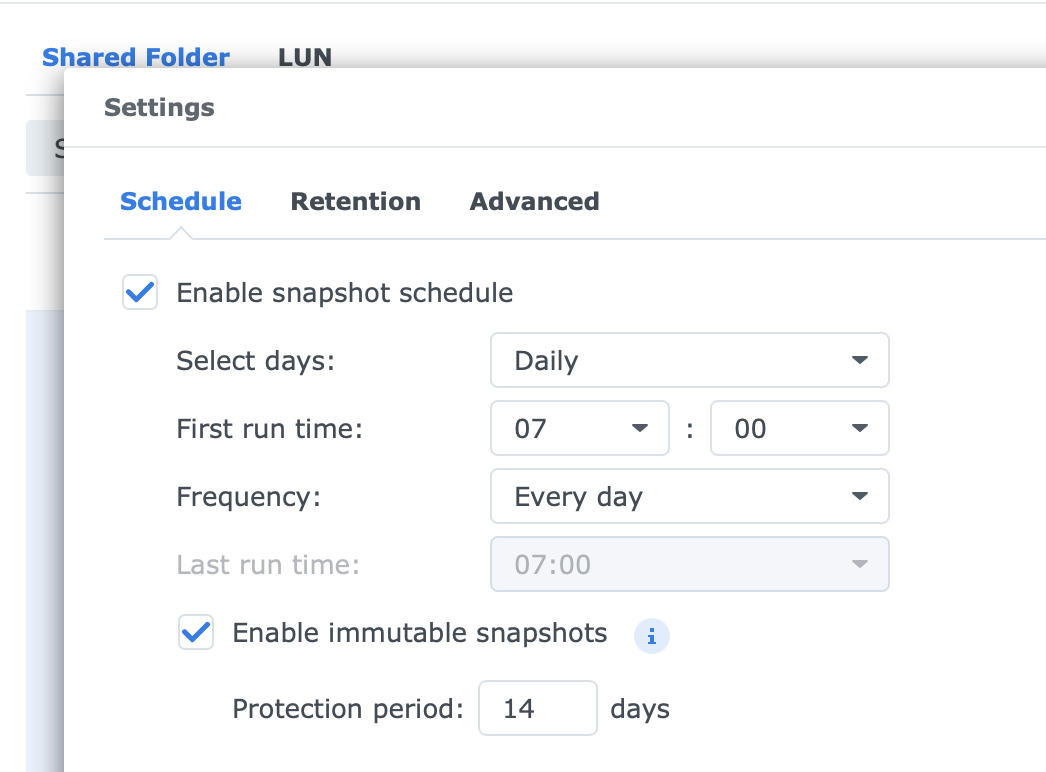
The schedule and WORM protection period are configured together in the share settings.
Check the snapshots
After the next scheduled run, confirm that the new snapshot has an active WORM lock and the expected expiry date. The shield in the Immutable column shows which snapshots are protected.
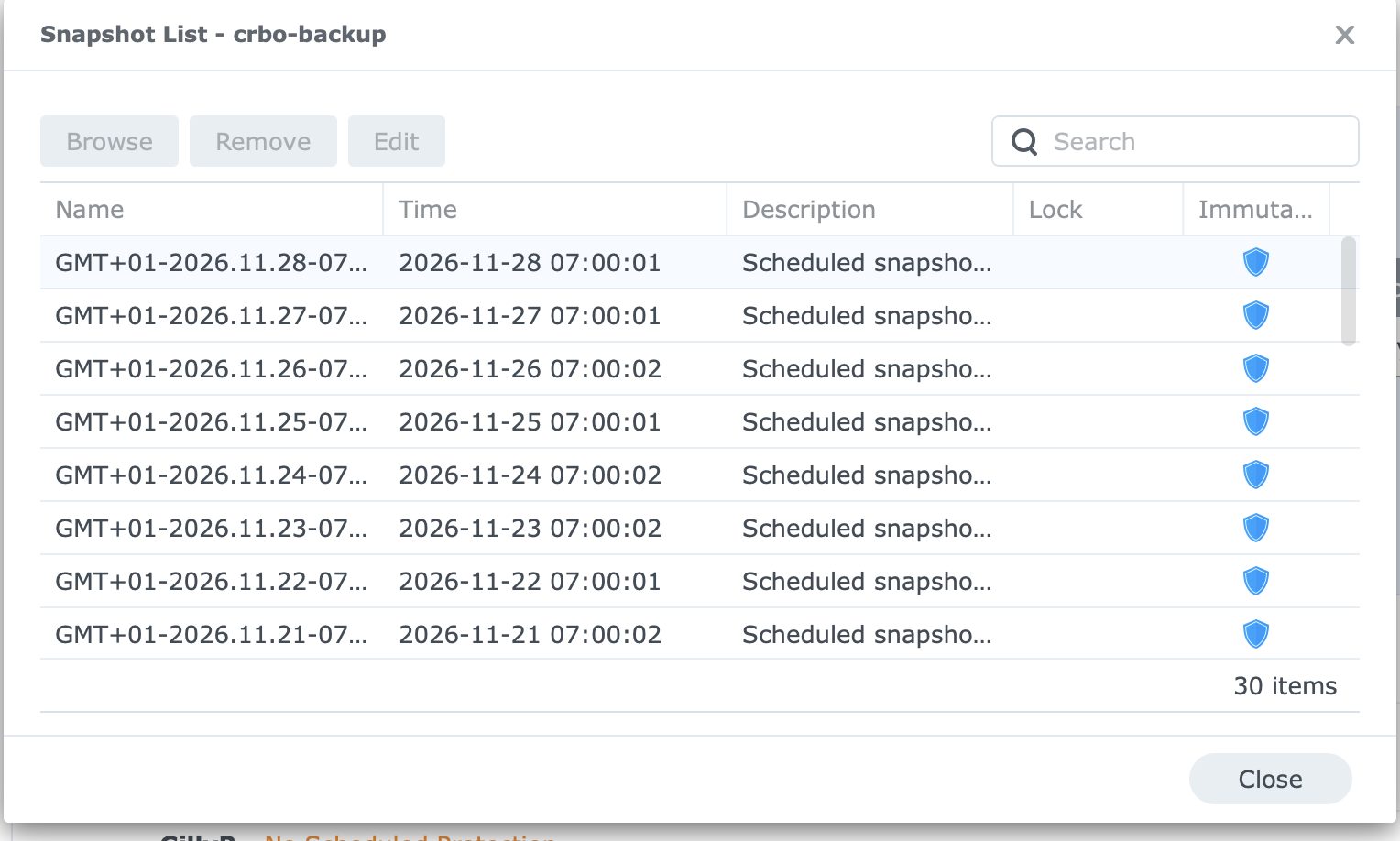
The DSM snapshot API reports WORM lock details separately from the ordinary lock field; on my system that field remains false when a WORM lock is active.
I also check after DSM updates that support_worm is still set, the boot service is present, and new snapshots receive the expected lock. My audit checks the 30-day retention policy and the 14-day lock on the newest snapshots.
Notes
This procedure is specific to my DS718+ and DSM 7.2.1-69057. The model setting is not supported by Synology, and a DSM update could change how it works. Keep another copy of important data and test restoring a snapshot before relying on this setup.